-
Installation du Raspberry
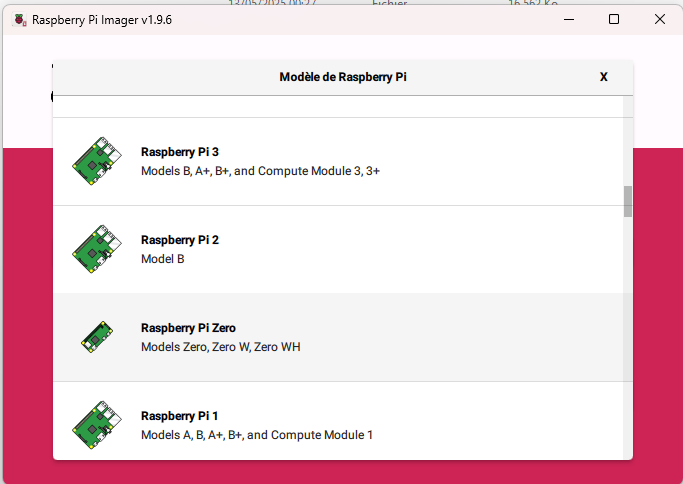
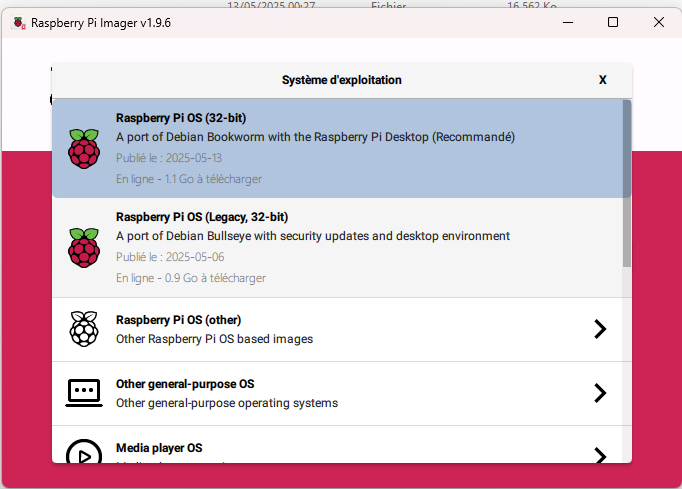
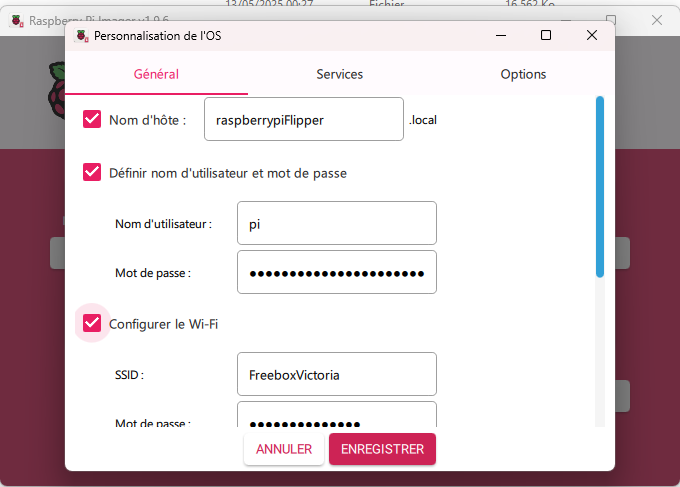
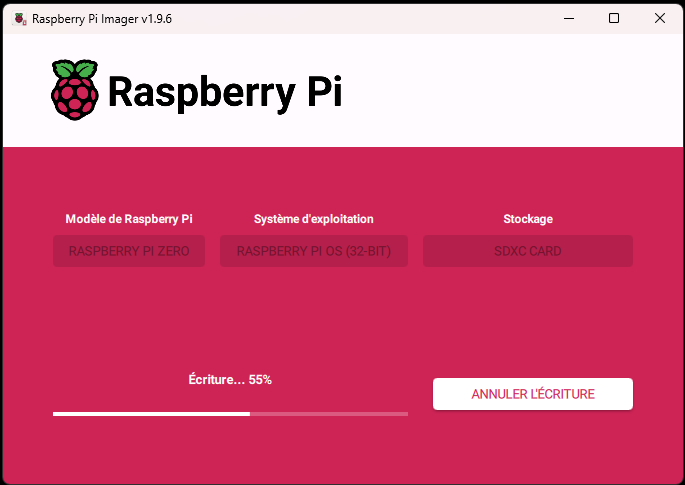
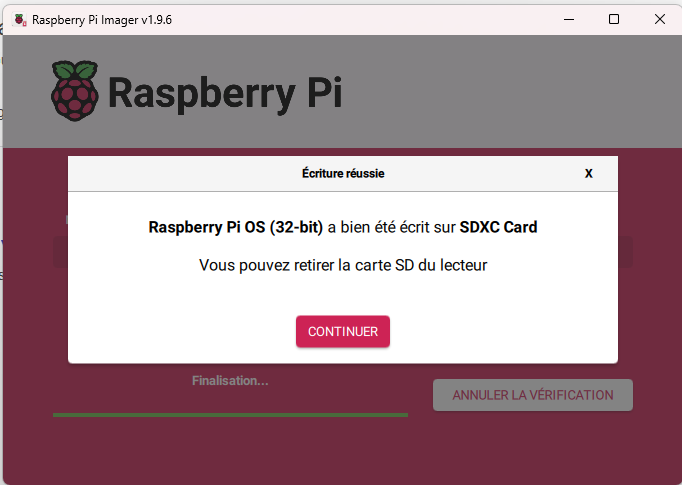
Au démarrage, l’écran est blanc, mais c’est “normal”, les drivers ne sont pas encore installés.
connection avec putty ok
login as: pi
pi@192.168.1.15's password:
Linux raspberrypiFlipper 6.12.25+rpt-rpi-v6 #1 Raspbian 1:6.12.25-1+rpt1 (2025-0                                                                                                                                                             4-30) armv6l

The programs included with the Debian GNU/Linux system are free software;
the exact distribution terms for each program are described in the
individual files in /usr/share/doc/*/copyright.

Debian GNU/Linux comes with ABSOLUTELY NO WARRANTY, to the extent
permitted by applicable law.
Last login: Tue May 13 02:24:37 2025
pi@raspberrypiFlipper:~ $
pi@raspberrypiFlipper:~ $
pi@raspberrypiFlipper:~ $
qd je fais sudo apt update
pi@raspberrypiFlipper:~ $ sudo apt update
Hit:1 http://archive.raspberrypi.com/debian bookworm InRelease
Hit:2 http://raspbian.raspberrypi.com/raspbian bookworm InRelease
Reading package lists... Error!
W: http://raspbian.raspberrypi.com/raspbian/dists/bookworm/InRelease: Key is stored in legacy trusted.gpg keyring (/etc/apt/trusted.gpg), see the DEPRECATION section in apt-key(8) for details.
E: Unable to parse package file /var/lib/apt/lists/raspbian.raspberrypi.com_raspbian_dists_bookworm_main_binary-armhf_Packages (1)
E: Unable to parse package file /var/lib/apt/lists/archive.raspberrypi.com_debian_dists_bookworm_main_binary-arm64_Packages (1)
W: You may want to run apt-get update to correct these problems
E: The package cache file is corrupted
pi@raspberrypiFlipper:~ $
il y a des erreurs
du coup j’ai fait un clean du cache
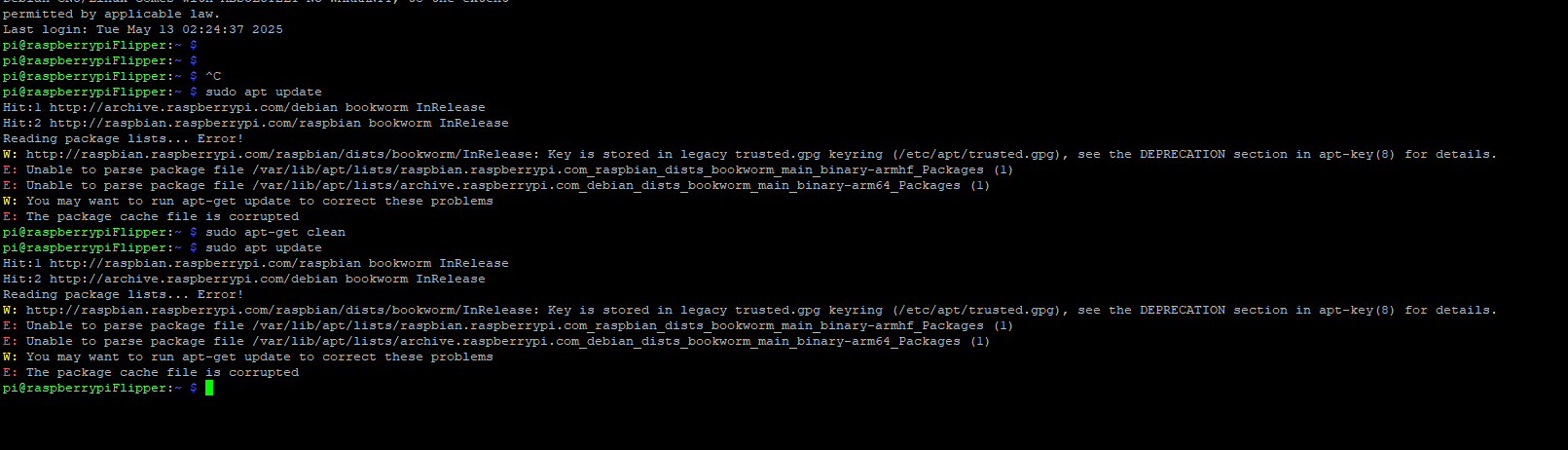
Mais pas mieux
Du coup, j’essaie ça:

là ça se passe mieux
du coup, je lance un upgrade
et là…
C’est la cata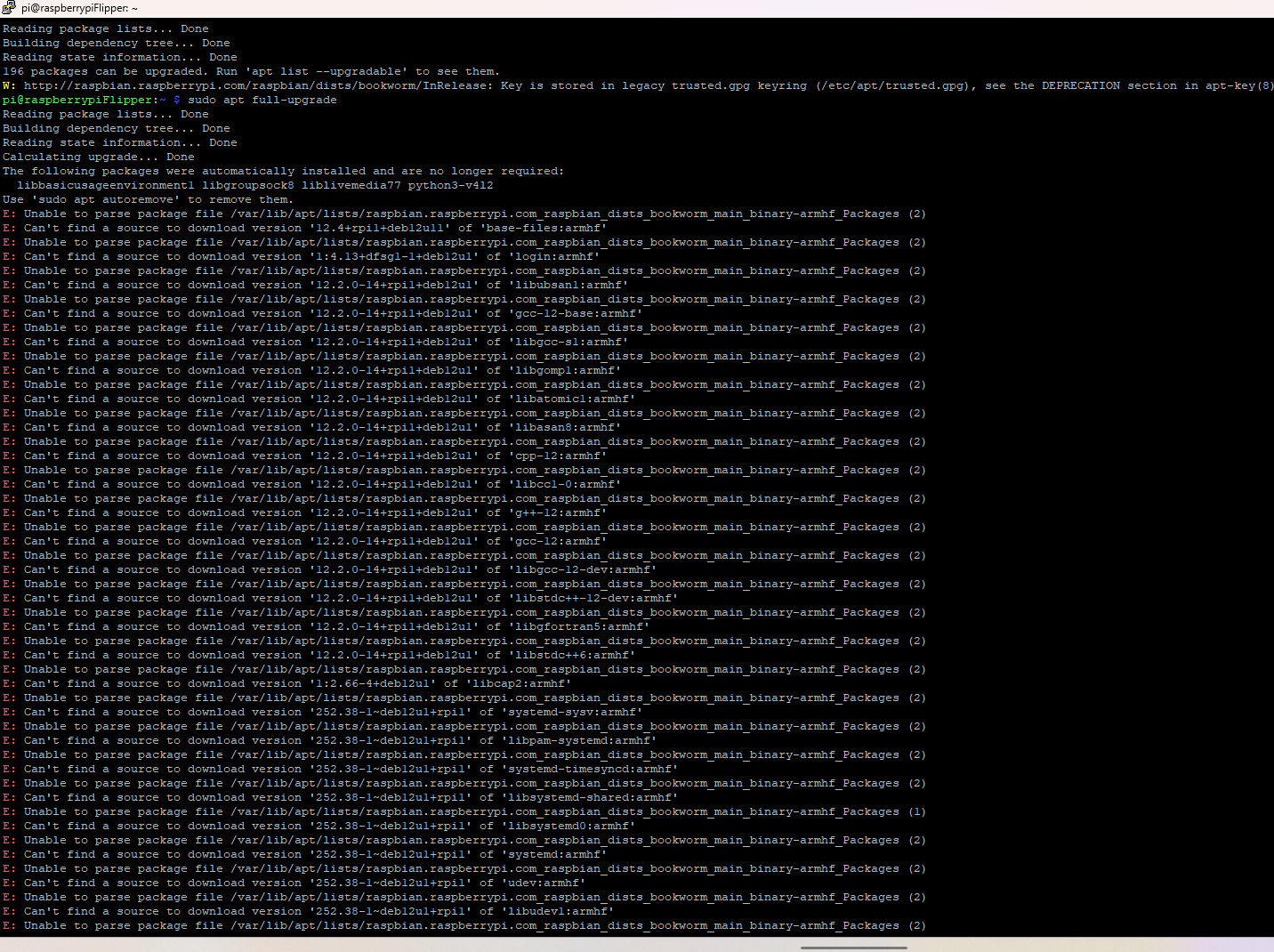
J’ai essayé ça aussi

et ensuite je pers la connexion…
C’est grave docteur ?

-
Quand tu fais “df -h” tu as encore de l’espace disque ?
-
Sur ma VM NodeBB :
# df -h Filesystem Size Used Avail Use% Mounted on tmpfs 1,2G 1,1M 1,2G 1% /run /dev/mapper/ubuntu--vg-ubuntu--lv 39G 23G 14G 63% / tmpfs 5,8G 1,1M 5,8G 1% /dev/shm tmpfs 5,0M 0 5,0M 0% /run/lock /dev/sda2 2,0G 189M 1,7G 11% /boot tmpfs 1,2G 16K 1,2G 1% /run/user/1000 # cat /etc/os-release PRETTY_NAME="Ubuntu 24.04.3 LTS" NAME="Ubuntu" VERSION_ID="24.04" VERSION="24.04.3 LTS (Noble Numbat)" VERSION_CODENAME=noble ID=ubuntu ID_LIKE=debian HOME_URL="https://www.ubuntu.com/" SUPPORT_URL="https://help.ubuntu.com/" BUG_REPORT_URL="https://bugs.launchpad.net/ubuntu/" PRIVACY_POLICY_URL="https://www.ubuntu.com/legal/terms-and-policies/privacy-policy" UBUNTU_CODENAME=noble LOGO=ubuntu-logo -
Je vais regarder. C’est une carte SD de 128 Go
-
Et aussi il me faut voir la commande “apt-key list”, tu as une mauvaise clef on dirait
# apt-key list Warning: apt-key is deprecated. Manage keyring files in trusted.gpg.d instead (see apt-key(8)). /etc/apt/trusted.gpg -------------------- pub rsa4096 2011-10-13 [SC] B97B 0AFC AA1A 47F0 44F2 44A0 7FCC 7D46 ACCC 4CF8 uid [ unknown] PostgreSQL Debian Repository /etc/apt/trusted.gpg.d/ubuntu-keyring-2012-cdimage.gpg ------------------------------------------------------ pub rsa4096 2012-05-11 [SC] 8439 38DF 228D 22F7 B374 2BC0 D94A A3F0 EFE2 1092 uid [ unknown] Ubuntu CD Image Automatic Signing Key (2012) <cdimage@ubuntu.com> /etc/apt/trusted.gpg.d/ubuntu-keyring-2018-archive.gpg ------------------------------------------------------ pub rsa4096 2018-09-17 [SC] F6EC B376 2474 EDA9 D21B 7022 8719 20D1 991B C93C uid [ unknown] Ubuntu Archive Automatic Signing Key (2018) <ftpmaster@ubuntu.com> -
Je vais regarder. C’est une carte SD de 128 Go
@srouviere06 C’est peut-etre un problème de partition.
-
pi@raspberrypiFlipper:~ $ pi@raspberrypiFlipper:~ $ df -h Filesystem Size Used Avail Use% Mounted on udev 78M 0 78M 0% /dev tmpfs 43M 7.8M 36M 19% /run /dev/mmcblk0p2 117G 5.1G 106G 5% / tmpfs 214M 148K 214M 1% /dev/shm tmpfs 5.0M 8.0K 5.0M 1% /run/lock /dev/mmcblk0p1 510M 119M 392M 24% /boot/firmware tmpfs 43M 44K 43M 1% /run/user/1000 pi@raspberrypiFlipper:~ $ pi@raspberrypiFlipper:~ $ pi@raspberrypiFlipper:~ $ sudo apt-key list Warning: apt-key is deprecated. Manage keyring files in trusted.gpg.d instead (see apt-key(8)). /etc/apt/trusted.gpg -------------------- pub rsa2048 2012-04-01 [SC] A0DA 38D0 D76E 8B5D 6388 7281 9165 938D 90FD DD2E uid [ unknown] Mike Thompson (Raspberry Pi Debian armhf ARMv6+VFP) <mpthompson@gmail.com> sub rsa2048 2012-04-01 [E] /etc/apt/trusted.gpg.d/raspberrypi-archive-stable.gpg ----------------------------------------------------- pub rsa2048 2012-06-17 [SC] CF8A 1AF5 02A2 AA2D 763B AE7E 82B1 2992 7FA3 303E uid [ unknown] Raspberry Pi Archive Signing Key sub rsa2048 2012-06-17 [E] pi@raspberrypiFlipper:~ $ -
pi@raspberrypiFlipper:~ $ pi@raspberrypiFlipper:~ $ df -h Filesystem Size Used Avail Use% Mounted on udev 78M 0 78M 0% /dev tmpfs 43M 7.8M 36M 19% /run /dev/mmcblk0p2 117G 5.1G 106G 5% / tmpfs 214M 148K 214M 1% /dev/shm tmpfs 5.0M 8.0K 5.0M 1% /run/lock /dev/mmcblk0p1 510M 119M 392M 24% /boot/firmware tmpfs 43M 44K 43M 1% /run/user/1000 pi@raspberrypiFlipper:~ $ pi@raspberrypiFlipper:~ $ pi@raspberrypiFlipper:~ $ sudo apt-key list Warning: apt-key is deprecated. Manage keyring files in trusted.gpg.d instead (see apt-key(8)). /etc/apt/trusted.gpg -------------------- pub rsa2048 2012-04-01 [SC] A0DA 38D0 D76E 8B5D 6388 7281 9165 938D 90FD DD2E uid [ unknown] Mike Thompson (Raspberry Pi Debian armhf ARMv6+VFP) <mpthompson@gmail.com> sub rsa2048 2012-04-01 [E] /etc/apt/trusted.gpg.d/raspberrypi-archive-stable.gpg ----------------------------------------------------- pub rsa2048 2012-06-17 [SC] CF8A 1AF5 02A2 AA2D 763B AE7E 82B1 2992 7FA3 303E uid [ unknown] Raspberry Pi Archive Signing Key sub rsa2048 2012-06-17 [E] pi@raspberrypiFlipper:~ $@srouviere06 Il faut faire du Markdown
Tu fais ``` quand tu mets du code.
-
pi@raspberrypiFlipper:~ $ pi@raspberrypiFlipper:~ $ df -h Filesystem Size Used Avail Use% Mounted on udev 78M 0 78M 0% /dev tmpfs 43M 7.8M 36M 19% /run /dev/mmcblk0p2 117G 5.1G 106G 5% / tmpfs 214M 148K 214M 1% /dev/shm tmpfs 5.0M 8.0K 5.0M 1% /run/lock /dev/mmcblk0p1 510M 119M 392M 24% /boot/firmware tmpfs 43M 44K 43M 1% /run/user/1000 pi@raspberrypiFlipper:~ $ pi@raspberrypiFlipper:~ $ pi@raspberrypiFlipper:~ $ sudo apt-key list Warning: apt-key is deprecated. Manage keyring files in trusted.gpg.d instead (see apt-key(8)). /etc/apt/trusted.gpg -------------------- pub rsa2048 2012-04-01 [SC] A0DA 38D0 D76E 8B5D 6388 7281 9165 938D 90FD DD2E uid [ unknown] Mike Thompson (Raspberry Pi Debian armhf ARMv6+VFP) <mpthompson@gmail.com> sub rsa2048 2012-04-01 [E] /etc/apt/trusted.gpg.d/raspberrypi-archive-stable.gpg ----------------------------------------------------- pub rsa2048 2012-06-17 [SC] CF8A 1AF5 02A2 AA2D 763B AE7E 82B1 2992 7FA3 303E uid [ unknown] Raspberry Pi Archive Signing Key sub rsa2048 2012-06-17 [E] pi@raspberrypiFlipper:~ $Ce message a été supprimé ! -
pour info, je n’arrête pas de perdre la connexion putty… je reinstalle ?
-
Non … il faut voir les logs de openSSH ou alors voir si c’est pas la perte de wifi.
-
On dirait qu’il y a un nouveau format de clef …
for KEY in $(apt-key --keyring /etc/apt/trusted.gpg list | grep -E "(([ ]{1,2}(([0-9A-F]{4}))){10})" | tr -d " " | grep -E "([0-9A-F]){8}\b" ); do K=${KEY:(-8)}; apt-key export $K | sudo gpg --dearmour -o /etc/apt/trusted.gpg.d/imported-from-trusted-gpg-$K.gpg; done -
là… je n’arrive plus à me connecter…
-
pi@raspberrypiFlipper:~ $ pi@raspberrypiFlipper:~ $ for KEY in $(apt-key --keyring /etc/apt/trusted.gpg list | grep -E "(([ ]{1,2}(([0-9A-F]{4}))){10})" | tr -d " " | grep -E "([0-9A-F]){8}\b" ); do K=${KEY:(-8)}; apt-key export $K | sudo gpg --dearmour -o /etc/apt/trusted.gpg.d/imported-from-trusted-gpg-$K.gpg; done Warning: apt-key is deprecated. Manage keyring files in trusted.gpg.d instead (see apt-key(8)). Warning: apt-key is deprecated. Manage keyring files in trusted.gpg.d instead (see apt-key(8)). pi@raspberrypiFlipper:~ $ -
pi@raspberrypiFlipper:~ $ pi@raspberrypiFlipper:~ $ for KEY in $(apt-key --keyring /etc/apt/trusted.gpg list | grep -E "(([ ]{1,2}(([0-9A-F]{4}))){10})" | tr -d " " | grep -E "([0-9A-F]){8}\b" ); do K=${KEY:(-8)}; apt-key export $K | sudo gpg --dearmour -o /etc/apt/trusted.gpg.d/imported-from-trusted-gpg-$K.gpg; done Warning: apt-key is deprecated. Manage keyring files in trusted.gpg.d instead (see apt-key(8)). Warning: apt-key is deprecated. Manage keyring files in trusted.gpg.d instead (see apt-key(8)). pi@raspberrypiFlipper:~ $ -
Yes
pi@raspberrypiFlipper:~ $ pi@raspberrypiFlipper:~ $ sudo apt-get update Hit:1 http://archive.raspberrypi.com/debian bookworm InRelease Hit:2 http://raspbian.raspberrypi.com/raspbian bookworm InRelease Reading package lists... Error! E: Encountered a section with no Package: header E: Problem with MergeList /var/lib/apt/lists/raspbian.raspberrypi.com_raspbian_dists_bookworm_main_binary-armhf_Packages E: The package lists or status file could not be parsed or opened. pi@raspberrypiFlipper:~ $ -
-
c’est grave docteur ? lol
@srouviere06 Tu dois avoir un fichier dans /etc/apt/sources.list.d qui met le problème.
ls -l /etc/apt/sources.list.d/* -
Il n’y a qu’un seul fichier :
pi@raspberrypiFlipper:~ $ ls -l /etc/apt/sources.list.d/* -rw-r--r-- 1 root root 191 May 13 02:05 /etc/apt/sources.list.d/raspi.list pi@raspberrypiFlipper:~ $ -
Et il ne contient que ça :
deb http://archive.raspberrypi.com/debian/ bookworm main
# Uncomment line below then 'apt-get update' to enable 'apt-get source'
#deb-src http://archive.raspberrypi.com/debian/ bookworm main


Bonjour ! Vous semblez intéressé par cette conversation, mais vous n’avez pas encore de compte.
Marre de refaire défiler les mêmes messages ? Créez un compte pour retrouver votre position, recevoir des notifications des nouvelles réponses, sauvegarder vos favoris et voter pour les messages que vous appréciez.
Grâce à votre participation, ce message peut devenir encore meilleur 💗
S'inscrire Se connecter