Tuxedo 17 (en Ubuntu 24) + GIGABYTE AORUS RTX 5060 Ti AI Box Carte Graphique - 16GB GDDR7.
-
Ma version de Thunderbolt : 4
# lspci | grep -i thunderbolt 00:07.0 PCI bridge: Intel Corporation Tiger Lake-H Thunderbolt 4 PCI Express Root Port #0 (rev 05) 00:0d.0 USB controller: Intel Corporation Tiger Lake-H Thunderbolt 4 USB Controller (rev 05) 00:0d.2 USB controller: Intel Corporation Tiger Lake-H Thunderbolt 4 NHI #0 (rev 05) -
Installation de nvm : https://lemmy.cyber-neurones.org/post/907 pour le build de llama.cpp
-
Installation de https://www.gigabyte.com/Support/Utility/Graphics-Card .
# sudo apt install -y libasound2t64 libnss3 libxss1 libatk-bridge2.0-0 libgtk-3-0 libgbm1 libxshmfence1 libglu1-mesa libnotify4 xdg-utils libsecret-1-0

# sudo dpkg -i gigabyte-ai-top-utility-lite.deb

# sudo apt install -f

# sudo dpkg -i gigabyte-ai-top-utility-lite.deb

# /opt/gigabyte-ai-top-utility-lite/gigabyte-ai-top-utility-lite
[0716/092439.370000:FATAL:electron_main_delegate.cc(295)] Running as root without --no-sandbox is not supported. See https://crbug.com/638180.
Trappe pour point d'arrêt et de trace

# /opt/gigabyte-ai-top-utility-lite/gigabyte-ai-top-utility-lite --no-sandbox
[9687:0716/092533.220112:ERROR:bus.cc(407)] Failed to connect to the bus: Could not parse server address: Unknown address type (examples of valid types are "tcp" and on UNIX "unix")
[9687:0716/092533.220175:ERROR:bus.cc(407)] Failed to connect to the bus: Could not parse server address: Unknown address type (examples of valid types are "tcp" and on UNIX "unix")
[9687:0716/092533.220186:ERROR:bus.cc(407)] Failed to connect to the bus: Could not parse server address: Unknown address type (examples of valid types are "tcp" and on UNIX "unix")
[9687:0716/092533.220219:ERROR:bus.cc(407)] Failed to connect to the bus: Could not parse server address: Unknown address type (examples of valid types are "tcp" and on UNIX "unix")
gotTheLock: true
[9687:0716/092533.247652:ERROR:bus.cc(407)] Failed to connect to the bus: Could not parse server address: Unknown address type (examples of valid types are "tcp" and on UNIX "unix")
browser-window-created
Authorization required, but no authorization protocol specified

Authorization required, but no authorization protocol specified

Authorization required, but no authorization protocol specified

Authorization required, but no authorization protocol specified

Authorization required, but no authorization protocol specified

Authorization required, but no authorization protocol specified
Cela ne marche pas …
-
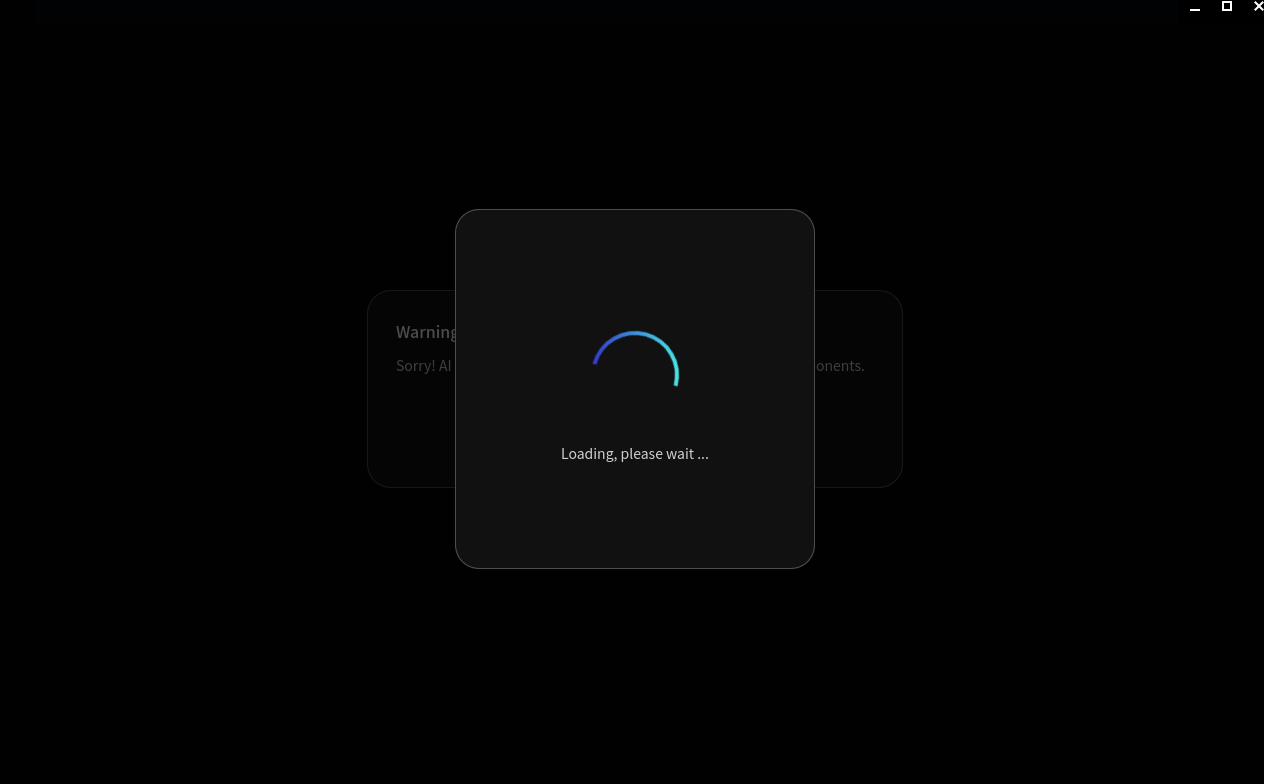
Disons que j’ai ceci :
-
Quand je branche j’ai ceci :
[ 2134.640661] usb 2-1: new SuperSpeed Plus Gen 2x1 USB device number 5 using xhci_hcd
[ 2134.652096] usb 2-1: New USB device found, idVendor=8087, idProduct=5787, bcdDevice= 0.00
[ 2134.652100] usb 2-1: New USB device strings: Mfr=1, Product=2, SerialNumber=0
[ 2134.652102] usb 2-1: Product: USB3 HUB
[ 2134.652103] usb 2-1: Manufacturer: Intel Corporation
[ 2134.653214] hub 2-1:1.0: USB hub found
[ 2134.653256] hub 2-1:1.0: 4 ports detected
[ 2134.786367] thunderbolt 0-1: new device found, vendor=0xed device=0x41cd
[ 2134.786373] thunderbolt 0-1: GIGABYTE AORUS RTX506T AI BOX
[ 2134.925841] usb 2-1.4: new SuperSpeed Plus Gen 2x1 USB device number 6 using xhci_hcd
[ 2134.940062] usb 2-1.4: New USB device found, idVendor=0bda, idProduct=0423, bcdDevice= 0.03
[ 2134.940066] usb 2-1.4: New USB device strings: Mfr=1, Product=2, SerialNumber=0
[ 2134.940067] usb 2-1.4: Product: 4-Port USB 3.0 Hub
[ 2134.940068] usb 2-1.4: Manufacturer: Generic
[ 2134.941806] hub 2-1.4:1.0: USB hub found
[ 2134.942053] hub 2-1.4:1.0: 4 ports detected
[ 2135.213675] usb 2-1.4.4: new SuperSpeed USB device number 7 using xhci_hcd
[ 2135.225207] usb 2-1.4.4: New USB device found, idVendor=0bda, idProduct=8153, bcdDevice=31.00
[ 2135.225213] usb 2-1.4.4: New USB device strings: Mfr=1, Product=2, SerialNumber=6
[ 2135.225214] usb 2-1.4.4: Product: USB 10/100/1000 LAN
[ 2135.225215] usb 2-1.4.4: Manufacturer: Realtek
[ 2135.225216] usb 2-1.4.4: SerialNumber: 001000001
[ 2135.287858] r8152-cfgselector 2-1.4.4: reset SuperSpeed USB device number 7 using xhci_hcd
[ 2135.343152] r8152 2-1.4.4:1.0 eth0: v1.12.13
[ 2135.355967] r8152 2-1.4.4:1.0 enxb42e99f45beb: renamed from eth0
[ 2138.443247] nvidia-modeset: ERROR: GPU:1: Error while waiting for GPU progress: 0x0000ca7d:0 2:0:4048:4040
[ 2143.443259] nvidia-modeset: ERROR: GPU:1: Error while waiting for GPU progress: 0x0000ca7d:0 2:0:4048:4040
[ 2148.443272] nvidia-modeset: ERROR: GPU:1: Error while waiting for GPU progress: 0x0000ca7d:0 2:0:4048:4040
J’ai bien la détection de la carte : GIGABYTE AORUS RTX506T AI BOX.
Mais ensuite j’ai l’impression qu’il monte un drivers réseau … qui me tue mon wifi. -
Je fais l’installation de :
# apt install r8125-dkms
#  modprobe r8152
# lsmod | grep r8152
r8152                 143360  0
mii                    20480  1 r8152
Je vais voir si c’est mieux.
-
Quand je fais “ip a” maintenant je vois la carte réseau :
# ip a
...
4: enxb42e99f45beb: <NO-CARRIER,BROADCAST,MULTICAST,UP> mtu 1500 qdisc fq_codel state DOWN group default qlen 1000
    link/ether b4:2e:99:f4:5b:eb brd ff:ff:ff:ff:ff:ff
Par contre le rename en eth0 semble ne pas fonctionner :
[ 269.698536] usb 2-1: New USB device found, idVendor=8087, idProduct=5787, bcdDevice= 0.00 [ 269.698539] usb 2-1: New USB device strings: Mfr=1, Product=2, SerialNumber=0 [ 269.698540] usb 2-1: Product: USB3 HUB [ 269.698542] usb 2-1: Manufacturer: Intel Corporation [ 269.699313] hub 2-1:1.0: USB hub found [ 269.699348] hub 2-1:1.0: 4 ports detected [ 269.700117] [drm] [nvidia-drm] [GPU ID 0x00000500] Loading driver [ 269.758685] NVRM: objClInitPcieChipset: *** Unable to get PCI port handles [ 269.767623] thunderbolt 0-1: new device found, vendor=0xed device=0x41cd [ 269.767628] thunderbolt 0-1: GIGABYTE AORUS RTX506T AI BOX [ 269.971307] usb 2-1.4: new SuperSpeed Plus Gen 2x1 USB device number 3 using xhci_hcd [ 269.985471] usb 2-1.4: New USB device found, idVendor=0bda, idProduct=0423, bcdDevice= 0.03 [ 269.985474] usb 2-1.4: New USB device strings: Mfr=1, Product=2, SerialNumber=0 [ 269.985476] usb 2-1.4: Product: 4-Port USB 3.0 Hub [ 269.985476] usb 2-1.4: Manufacturer: Generic [ 269.987177] hub 2-1.4:1.0: USB hub found [ 269.987417] hub 2-1.4:1.0: 4 ports detected [ 270.259256] usb 2-1.4.4: new SuperSpeed USB device number 4 using xhci_hcd [ 270.270966] usb 2-1.4.4: New USB device found, idVendor=0bda, idProduct=8153, bcdDevice=31.00 [ 270.270969] usb 2-1.4.4: New USB device strings: Mfr=1, Product=2, SerialNumber=6 [ 270.270970] usb 2-1.4.4: Product: USB 10/100/1000 LAN [ 270.270971] usb 2-1.4.4: Manufacturer: Realtek [ 270.270972] usb 2-1.4.4: SerialNumber: 001000001 [ 270.334422] r8152-cfgselector 2-1.4.4: reset SuperSpeed USB device number 4 using xhci_hcd [ 270.389518] r8152 2-1.4.4:1.0 eth0: v1.12.13 [ 270.401746] r8152 2-1.4.4:1.0 enxb42e99f45beb: renamed from eth0 [ 272.362875] NVRM: _issueRpcAndWait: rpcSendMessage failed with status 0x00000011 for fn 76 sequence 583! [ 272.365473] NVRM: kbifInitLtr_GB202: LTR is disabled in the hierarchy [ 274.141227] NVRM: testIfDsmSubFunctionEnabled: GPS ACPI DSM called before _acpiDsmSupportedFuncCacheInit subfunction = 11. [ 274.171854] [drm] Initialized nvidia-drm 0.0.0 for 0000:05:00.0 on minor 0 [ 274.172920] nvidia 0000:05:00.0: [drm] Cannot find any crtc or sizes [ 274.172941] pci 0000:05:00.1: extending delay after power-on from D3hot to 20 msec [ 274.173005] pci 0000:05:00.1: D0 power state depends on 0000:05:00.0 [ 274.173152] snd_hda_intel 0000:05:00.1: enabling device (0000 -> 0002) [ 274.173265] snd_hda_intel 0000:05:00.1: Disabling MSI [ 274.173276] snd_hda_intel 0000:05:00.1: Handle vga_switcheroo audio client [ 274.173309] snd_hda_intel 0000:05:00.1: number of I/O streams is 30, forcing separate stream tags -
Plus de crash du wifi…
# boltctl list ● GIGABYTE AORUS RTX506T AI BOX ├─ type: peripheral ├─ name: AORUS RTX506T AI BOX ├─ vendor: GIGABYTE ├─ uuid: 008b38f1-ba7e-8780-ffff-ffffffffffff ├─ generation: USB4 ├─ status: authorized │ ├─ domain: 703138df-743c-8780-ffff-ffffffffffff │ ├─ rx speed: 40 Gb/s = 2 lanes * 20 Gb/s │ ├─ tx speed: 40 Gb/s = 2 lanes * 20 Gb/s │ └─ authflags: none ├─ authorized: jeu. 16 juil. 2026 07:50:20 ├─ connected: jeu. 16 juil. 2026 07:50:20 └─ stored: ven. 05 juin 2026 15:47:50 ├─ policy: iommu └─ key: no -
Installation :
# apt install displaylink-driverCar je vois l’erreur :
nvidia 0000:05:00.0: [drm] Cannot find any crtc or sizes -
Version :
# /usr/local/cuda-13.3/bin/nvcc --version nvcc: NVIDIA (R) Cuda compiler driver Copyright (c) 2005-2026 NVIDIA Corporation Built on Tue_Jun_09_02:43:40_PM_PDT_2026 Cuda compilation tools, release 13.3, V13.3.73 Build cuda_13.3.r13.3/compiler.38244171_0 -
J’ai l’impression qu’il y a un bug ouvert : https://github.com/NVIDIA/open-gpu-kernel-modules/issues/979#issuecomment-4172636691 : RTX 5080 via Thunderbolt 5 eGPU: Hard lock on CUDA operations (nvidia-smi works at idle) .
-
Sans l’extenstion :
# llama-bench -m /models/gemma-3-1b-it-q4_k_m.gguf | model | size | params | backend | threads | test | t/s | | ------------------------------ | ---------: | ---------: | ---------- | ------: | --------------: | -------------------: | | gemma3 1B Q4_K - Medium | 762.49 MiB | 999.89 M | CPU | 8 | pp512 | 379.86 ± 6.14 | | gemma3 1B Q4_K - Medium | 762.49 MiB | 999.89 M | CPU | 8 | tg128 | 49.11 ± 0.20 | build: c3d47e696 (10030) # nvidia-smi Thu Jul 16 11:00:14 2026 +-----------------------------------------------------------------------------------------+ | NVIDIA-SMI 580.159.04 Driver Version: 580.159.04 CUDA Version: 13.0 | +-----------------------------------------+------------------------+----------------------+ | GPU Name Persistence-M | Bus-Id Disp.A | Volatile Uncorr. ECC | | Fan Temp Perf Pwr:Usage/Cap | Memory-Usage | GPU-Util Compute M. | | | | MIG M. | |=========================================+========================+======================| | 0 NVIDIA GeForce RTX 3060 ... Off | 00000000:01:00.0 Off | N/A | | N/A 43C P0 24W / 115W | 1MiB / 6144MiB | 0% Default | | | | N/A | +-----------------------------------------+------------------------+----------------------+ +-----------------------------------------------------------------------------------------+ | Processes: | | GPU GI CI PID Type Process name GPU Memory | | ID ID Usage | |=========================================================================================| | No running processes found | +-----------------------------------------------------------------------------------------+ -
Avec l’eGPU :
Il y a une erreur
1261.324229] NVRM: GPU at PCI:0000:05:00: GPU-5d8d2eb1-648d-e52f-369a-26f078362f02 [ 1261.324235] NVRM: GPU Board Serial Number: 0 [ 1261.324235] NVRM: Xid (PCI:0000:05:00): 79, GPU has fallen off the bus. [ 1261.324240] NVRM: GPU 0000:05:00.0: GPU has fallen off the bus. [ 1261.324242] NVRM: GPU 0000:05:00.0: GPU serial number is 0. [ 1261.324247] NVRM: kgspRcAndNotifyAllChannels_IMPL: RC all channels for critical error 79. [ 1261.324254] NVRM: _threadNodeCheckTimeout: API_GPU_ATTACHED_SANITY_CHECK failed! [ 1261.324263] NVRM: _threadNodeCheckTimeout: API_GPU_ATTACHED_SANITY_CHECK failed! [ 1261.324268] NVRM: _threadNodeCheckTimeout: API_GPU_ATTACHED_SANITY_CHECK failed! [ 1261.324272] NVRM: _threadNodeCheckTimeout: API_GPU_ATTACHED_SANITY_CHECK failed! [ 1261.324388] NVRM: _issueRpcAndWait: rpcSendMessage failed with status 0x0000000f for fn 78 sequence 358! [ 1261.324391] NVRM: nvCheckOkFailedNoLog: Check failed: GPU lost from the bus [NV_ERR_GPU_IS_LOST] (0x0000000F) returned from nvdEngineDumpCallbackHelper(pGpu, pPrbEnc, pNvDumpState, pEngineCallback) @ nv_debug_dump.c:273 [ 1261.324424] NVRM: _issueRpcAndWait: rpcSendMessage failed with status 0x0000000f for fn 78 sequence 359! -
Mise à jours avec la dernière version :
# sudo apt-get purge nvidia-* # add-apt-repository ppa:graphics-drivers/ppa -y # apt update # apt install nvidia-driver-595 -y -
Ajout du fichier :
cat  /etc/modprobe.d/nvidia-graphics-drivers.conf
options nvidia NVreg_EnableGpuFirmware=0
Désactiver le firmware GSP : Si vous utilisez une série RTX 40, parfois le firmware GSP provoque des erreurs NVRM. Empêchez cela en ajoutant NVreg_EnableGpuFirmware=0 à la configuration du pilote
-
Lien à voir : https://github.com/mmhorda/ai-box-rtx-5060ti-egpu-guide
-
Téléchargement des modèles :
# du -sh /models/* 769M /models/gemma-3-1b-it-q4_k_m.gguf 889M /models/mmproj-BF16(1).gguf 862M /models/mmproj-BF16.gguf 885M /models/mmproj-F16.gguf 5,3G /models/Qwen3.5-9B-Q4_K_M.gguf 16G /models/Qwen3.6-27B-Q4_K_M.gguf 21G /models/Qwen3.6-35B-A3B-UD-Q4_K_M.gguf -
Check :
# boltctl list
 ● GIGABYTE AORUS RTX506T AI BOX
   ├─ type:          peripheral
   ├─ name:          AORUS RTX506T AI BOX
   ├─ vendor:        GIGABYTE
   ├─ uuid:          008b38f1-ba7e-8780-ffff-ffffffffffff
   ├─ generation:    USB4
   ├─ status:        authorized
   │  ├─ domain:     d02c5899-4b21-8780-ffff-ffffffffffff
   │  ├─ rx speed:   40 Gb/s = 2 lanes * 20 Gb/s
   │  ├─ tx speed:   40 Gb/s = 2 lanes * 20 Gb/s
   │  └─ authflags:  none
   ├─ authorized:    jeu. 16 juil. 2026 11:33:13
   ├─ connected:     jeu. 16 juil. 2026 11:33:13
   └─ stored:        ven. 05 juin 2026 15:47:50
      ├─ policy:     iommu
      └─ key:        no

# boltctl authorize 008b38f1-ba7e-8780-ffff-ffffffffffff

# nvidia-smi
Thu Jul 16 13:35:11 2026
+-----------------------------------------------------------------------------------------+
| NVIDIA-SMI 595.71.05              Driver Version: 595.71.05      CUDA Version: 13.2     |
+-----------------------------------------+------------------------+----------------------+
| GPU  Name                 Persistence-M | Bus-Id          Disp.A | Volatile Uncorr. ECC |
| Fan  Temp   Perf          Pwr:Usage/Cap |           Memory-Usage | GPU-Util  Compute M. |
|                                         |                        |               MIG M. |
|=========================================+========================+======================|
|   0  NVIDIA GeForce RTX 3060 ...    Off |   00000000:01:00.0 Off |                  N/A |
| N/A   40C    P0            752W /  115W |       1MiB /   6144MiB |      0%      Default |
|                                         |                        |                  N/A |
+-----------------------------------------+------------------------+----------------------+

+-----------------------------------------------------------------------------------------+
| Processes:                                                                              |
|  GPU   GI   CI              PID   Type   Process name                        GPU Memory |
|        ID   ID                                                               Usage      |
|=========================================================================================|
|  No running processes found                                                             |
+-----------------------------------------------------------------------------------------+
J’ai l’erreur :
[ 15.841164] NVRM: The NVIDIA GPU 0000:05:00.0 (PCI ID: 10de:2d04) NVRM: installed in this system requires use of the NVIDIA open kernel modules. [ 15.841198] NVRM: GPU 0000:05:00.0: RmInitAdapter failed! (0x22:0x56:1017) [ 15.841201] NVRM: GPU 0000:05:00.0: rm_init_adapter failed, device minor number 1 -
Je fais donc :
# apt-get install nvidia-open -
Nouveau test :
# llama-bench -m /models/gemma-3-1b-it-q4_k_m.gguf
| model                          |       size |     params | backend    | threads |            test |                  t/s |
| ------------------------------ | ---------: | ---------: | ---------- | ------: | --------------: | -------------------: |
| gemma3 1B Q4_K - Medium        | 762.49 MiB |   999.89 M | CPU        |       8 |           pp512 |       371.45 ± 41.49 |
| gemma3 1B Q4_K - Medium        | 762.49 MiB |   999.89 M | CPU        |       8 |           tg128 |         50.31 ± 0.11 |

build: c3d47e696 (10030)
# llama-bench -m /models/Qwen3.6-35B-A3B-UD-Q4_K_M.gguf
| model                          |       size |     params | backend    | threads |            test |                  t/s |
| ------------------------------ | ---------: | ---------: | ---------- | ------: | --------------: | -------------------: |
| qwen35moe 35B.A3B Q4_K - Medium |  20.60 GiB |    34.66 B | CPU        |       8 |           pp512 |         82.60 ± 2.10 |
| qwen35moe 35B.A3B Q4_K - Medium |  20.60 GiB |    34.66 B | CPU        |       8 |           tg128 |         12.67 ± 0.35 |

build: c3d47e696 (10030)

Bonjour ! Vous semblez intéressé par cette conversation, mais vous n’avez pas encore de compte.
Marre de refaire défiler les mêmes messages ? Créez un compte pour retrouver votre position, recevoir des notifications des nouvelles réponses, sauvegarder vos favoris et voter pour les messages que vous appréciez.
Grâce à votre participation, ce message peut devenir encore meilleur 💗
S'inscrire Se connecter